Music Warrior Font
Designed by Fabricio Metallo · Foundry: FM Fonts
Free Display Fonts #angular#bold#display#fabricio metallo#martial arts#music warrior#retro#ttf
Preview
Music Warrior
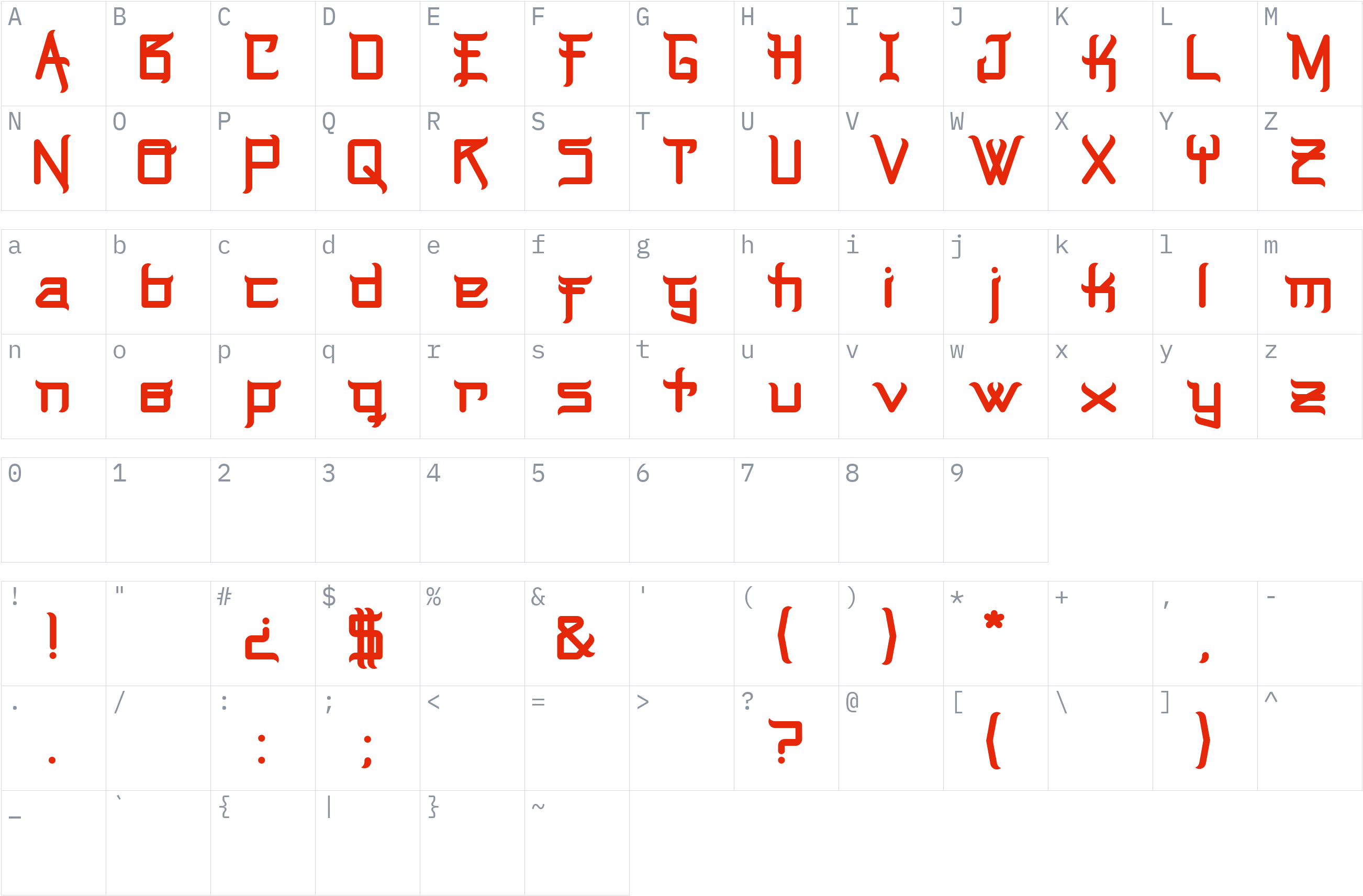
Character set
Styles and files
-
Regular
Weight 400 TTF24.7 KBMusic Warrior
-
Regular
Weight 400 WOFF210.2 KBMusic Warrior
About Music Warrior
Music Warrior is a display typeface attributed to Fabricio Metallo, who is also associated with FM Fonts. Font reference sources describe its appearance as bold and angular, with a retro aesthetic inspired by martial-arts graphics. These visual characteristics make it a distinctive option for decorative lettering and attention-grabbing display text.
Available font listings identify a TrueType file named Music Warrior.ttf and report 87 glyphs. The typeface is listed under foreign-look or Asian-inspired display categories, although these are stylistic classifications rather than confirmation that the font supports Asian writing systems. English support is reported by font reference sources.
The designer's listed website could not be verified as an accessible official source during this search. The font's exact license and permission to redistribute the file therefore remain unconfirmed. Before publishing it for download on Fonts1, verify the license and redistribution terms using the original font file or confirmation from the rights holder.
License
Personal use only: a commercial license is needed for business work
Free Personal Use
Free for personal, non-commercial projects.
Check the license before using this font.
This is a summary, not legal advice. Always read the full license before using a font commercially. See the font licensing guide.
Use Music Warrior on your website
Check the license below before embedding this font on a website. The code is shown for reference.
1. @font-face (self-hosted)
@font-face {
  font-family: 'Music Warrior';
  src: url('fonts/Music Warrior.woff2') format('woff2');
  font-weight: 400;
  font-style: normal;
  font-display: swap;
}
2. Apply it
body {
  font-family: 'Music Warrior', sans-serif;
}
How to install Music Warrior
- Download the font family (ZIP) and extract it.
- Windows: right-click the
.ttfor.otffile and choose Install. macOS: double-click the file and choose Install Font. - Restart your design or office program, then pick Music Warrior from the font list.
Need more detail? Read the full installation guide.
Fonts that pair well with Music Warrior
Good design mixes two or three fonts. These are picked from a different style (a clean sans next to a script, a serif next to a sans) so they stay easy to tell apart and cover the same language.




Similar fonts






More Free Display Fonts



Your Music Warrior download has started
Check your Downloads folder. How to install it.