A calligraphy font generator that works in any app
Calligraphy is the art of beautiful handwriting: long curves, thick and thin strokes, and little flourishes that make a name look like it belongs on an invitation. Most apps give you none of that. A text message, a bio, a comment box or a chat window shows everything in one plain typeface, and you cannot pick another.
This calligraphy font generator solves that in a simple way. You type your words once, and the tool shows them in dozens of handwritten-looking styles. Press Copy next to the one you like and paste it wherever you are writing. The style stays, because what you copy is text, not a picture.
How to use it, step by step
- Type or paste your text in the box at the top. A name, a short wish or one line of a quote works best.
- Look through the styles. Use the buttons above the list to jump between Stylish, Modern, Romantic, Vintage and Flourish.
- Press Preview on any style to see it large on the paper card. You can switch the card between cream, blush, sage and white.
- Press Copy, open the app you want, and paste. On a phone, press and hold in the text field and choose Paste.
The five groups of styles
Stylish
The classic handwriting alphabets: bold script and script for flowing cursive, gothic and bold gothic for an old newspaper masthead look, and italic for something quieter. If you are not sure where to start, start here. Bold script is the most readable of the fancy ones.
Modern
Modern calligraphy is cleaner and more casual than the old formal kind. The sans italic styles lean forward like brush lettering and stay easy to read on a small screen. Spaced-out versions give a calm, airy feel that suits fashion pages and minimal profiles.
Romantic
Script letters wrapped in hearts, roses, flowers and little love marks. These are made for anniversary captions, wedding hashtags and cards, messages to someone you love, and Valentine's Day posts.
Vintage
Old-English gothic letters together with the ornaments that printers used a century ago. They work well for a heritage brand, a barber shop, a bakery sign caption or a historical theme.
Flourish
Handwriting surrounded by curls, sparkle trails, butterflies and swirls. They are decorative, so they are better for a single line, such as a title or a greeting, than for a long message.
Is this a real font?
Not in the way a font file is. A real font, like the ones in our font directory, is a file that you install on your computer or add to a website. The text made here uses Unicode characters. Unicode is the worldwide standard that holds every letter, symbol and emoji, and it happens to include whole alphabets of script, gothic and italic letters, originally added for mathematics.
Because they are ordinary characters, they can be pasted into almost any app: Instagram, Facebook, WhatsApp, TikTok, Pinterest, X, Discord, Telegram, email and many notes apps. The trade-off is that you cannot use them as a font in a design program, and each phone or computer draws them with its own built-in fonts, so the exact shapes can differ a little from device to device.
Where calligraphy text looks good
- Social media bios and captions. A script display name or opening line makes a profile stand out.
- Wedding and engagement posts. Names, dates and hashtags in romantic script look elegant on a story or a post.
- Birthday, anniversary and festival wishes. Paste a styled greeting into a chat or a card message.
- Gift notes and small business messages. A handwritten feel on a thank-you line adds a personal touch.
- Usernames in games and chat apps that allow special characters.
A few tips for better results
Keep long messages in plain text
Script and gothic letters are lovely in short doses, but a whole paragraph is tiring to read, especially on a phone. Style the name or the first line, and keep the rest normal.
Do not put important details in styled text
Screen readers often read these characters letter by letter with long descriptions, and search does not match them. Keep links, phone numbers, prices and addresses in plain text.
Check the result on your phone
If a letter shows up as an empty box after you paste, that device does not have the character. Choose another style from the list. Script and bold script are the most widely supported.
Mind the rules of the place you paste into
Some places, such as Instagram usernames or official forms, allow only plain letters and numbers. Use styled text in display names, bios, captions and comments instead.
Need a picture, not text?
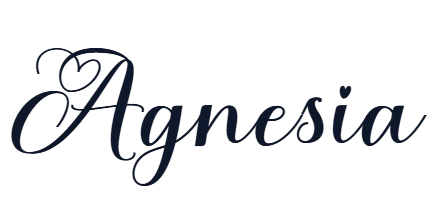
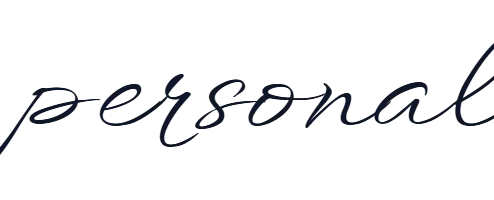
If you are designing a logo, a wedding card or a poster, use a real calligraphy font instead. You get complete control over size, colour and spacing, and the result prints sharply at any size.
Free calligraphy fonts you can download
These are free calligraphy fonts from our own directory. Each page has a live preview you can type into, the license, and a download button.