Zabisuka Font
Designed by Wahyu Eka Prasetya · Foundry: wepfont
Free Display FontsFree Comic FontsFree Decorative Fonts #comic#decorative#display#headline#latin#otf#playful#zabisuka
Preview
The quick brown fox jumps over the lazy dog
Character set
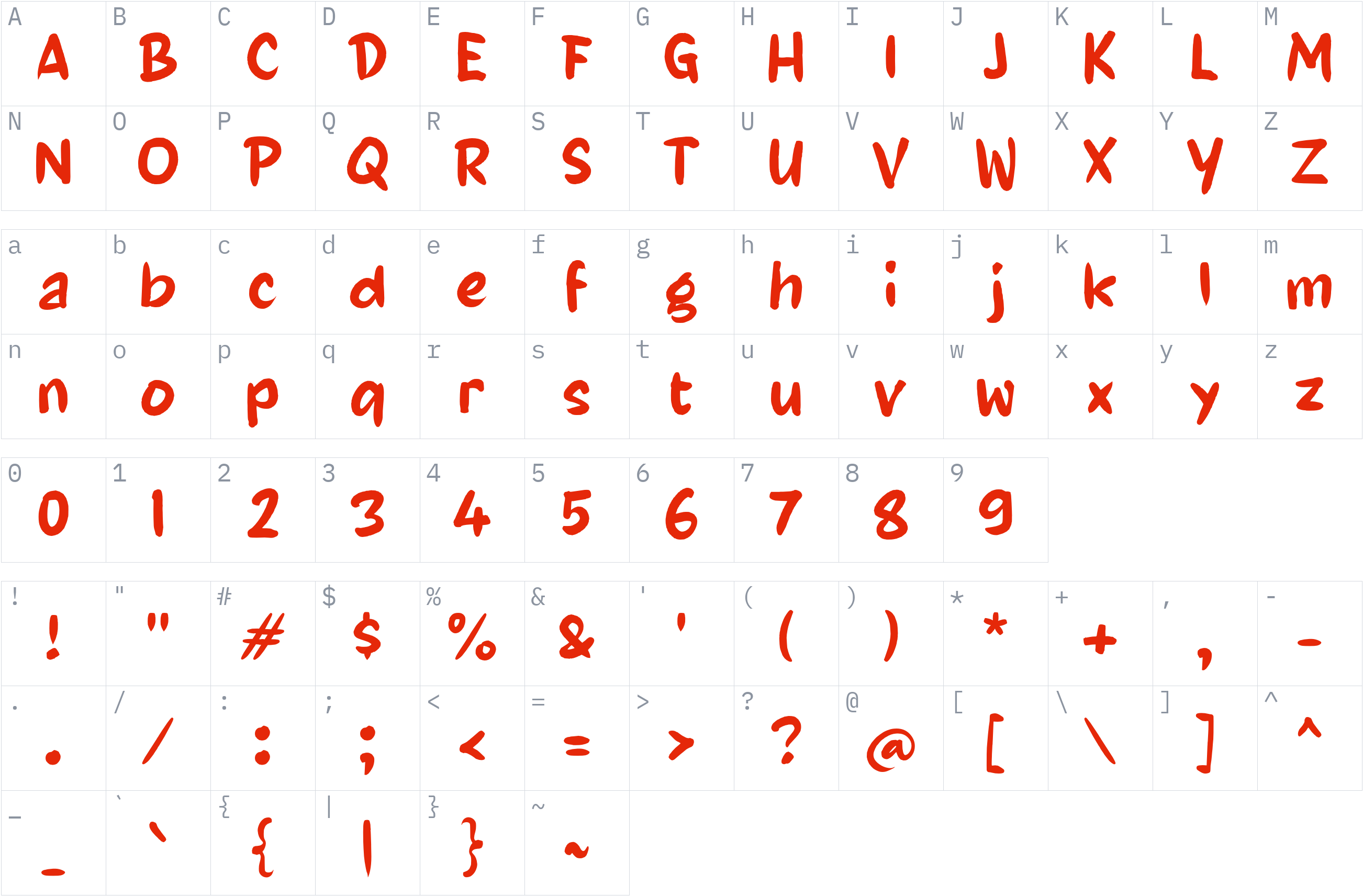
Styles and files
-
Regular
Weight 400 OTF48.2 KBThe quick brown fox jumps over the lazy dog
-
Regular
Weight 400 WOFF230.9 KBThe quick brown fox jumps over the lazy dog
About Zabisuka
Zabisuka is a decorative display font created by Wahyu Eka Prasetya and published through wepfont. Its Latin lettering is suited to designs that call for expressive typography and a distinctive visual accent.
Use this font for short headlines, comic-inspired graphics, poster titles, stickers, and social media artwork. Its display-oriented character makes it a practical option when a few words need to stand apart from surrounding text. Preview your intended wording at different sizes to assess its appearance and readability before using it in a finished design.
The supplied release includes Regular (weight 400) and the OTF and WOFF2 file formats. The font's original page provides an interactive specimen for testing text. The designer's licensing information states that the font files cannot be redistributed, so Fonts1 should obtain explicit permission before hosting the files for public download. Check the applicable license before using the font in a project.
License
Use is subject to the license terms: read them before commercial use
All rights reserved — check the author's license
All rights belong to the author. Check the author's license before using this font.
All rights reserved — check the author's license. Review the designer's terms before use, and keep the applicable license text with the font. Redistribution of the font files is not permitted without authorization.
Copyright notice
Copyright (c) 2025, wep
This is a summary, not legal advice. Always read the full license before using a font commercially. See the font licensing guide.
Use Zabisuka on your website
Copy the CSS below. Option B needs the font files uploaded to a fonts/ folder on your own server first.
Option A: use the font directly from Fonts1 (no upload needed)
@font-face {
  font-family: 'Zabisuka';
  src: url('https://files.fonts1.com/fonts1/fonts/3214/3f93662521-zabisuka-2vyjl.woff2') format('woff2');
  font-weight: 400;
  font-style: normal;
  font-display: swap;
}
Quickest way to try it. For a busy production site, Option B (your own server) is more reliable.
Option B: self-host (download, then upload to your server)
@font-face {
  font-family: 'Zabisuka';
  src: url('fonts/Zabisuka-2vyJl.woff2') format('woff2');
  font-weight: 400;
  font-style: normal;
  font-display: swap;
}
2. Apply it
body {
  font-family: 'Zabisuka', sans-serif;
}
How to install Zabisuka
- Download the font family (ZIP) and extract it.
- Windows: right-click the
.ttfor.otffile and choose Install. macOS: double-click the file and choose Install Font. - Restart your design or office program, then pick Zabisuka from the font list.
Need more detail? Read the full installation guide.
More fonts by Wahyu Eka Prasetya


Fonts that pair well with Zabisuka
Good design mixes two or three fonts. These are picked from a different style (a clean sans next to a script, a serif next to a sans) so they stay easy to tell apart and cover the same language.




Similar fonts




ArabicKufiSSK
by Southern Software, Inc. · Free Display Fonts
6 styles TTFWOFF2 See license 2 downloads
More Free Display Fonts



Your Zabisuka download has started
Check your Downloads folder. How to install it.