Okashi Font
Designed by Nora Bruckhoff · Foundry: Shaped Fonts
Free Display FontsFree Decorative Fonts #decorative#display#japanese-inspired#latin#okashi#regular#ttf
Preview
Creative Lettering for Distinctive Designs
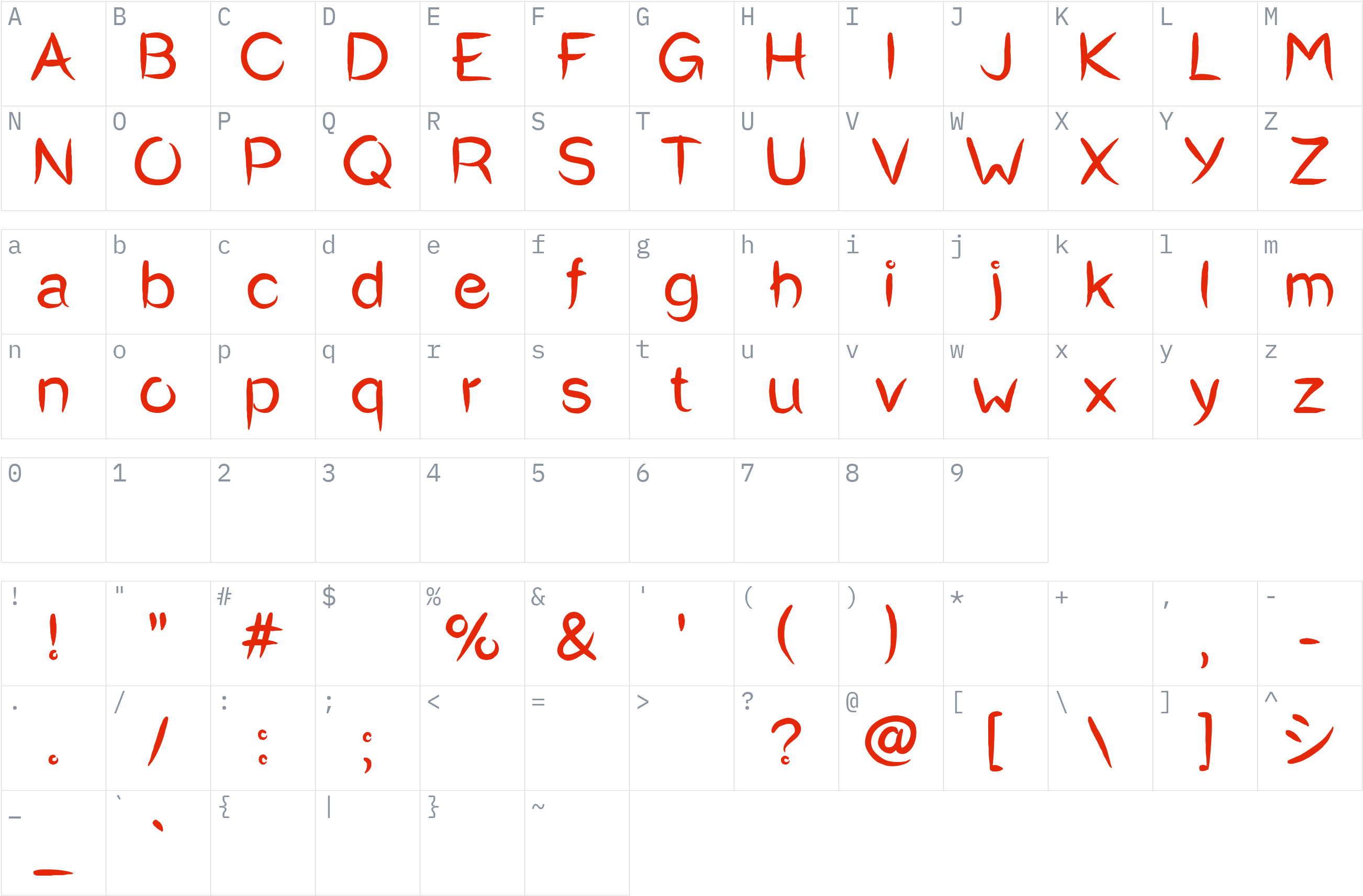
Character set
Styles and files
-
Regular
Weight 400 TTF165.1 KBCreative Lettering for Distinctive Designs
About Okashi
Okashi is a decorative display font with a Japanese-inspired visual theme. Its distinctive lettering makes it an option for designs that need a decorative typographic element rather than conventional body text.
The font can be considered for creative headings, poster layouts, themed graphics, branding concepts, and other visual projects where the lettering contributes to the overall design. Preview the characters to see how the font works with your intended words and layout before using it in a project.
This listing contains the Regular weight at 400 and is supplied in TTF format. The uploaded file contains 323 glyphs, with Latin characters detected. The available file information identifies the copyright notice as belonging to Phitradeisgn Fonts and dates it to 2017. The precise redistribution permissions have not yet been verified against the designer's licensing terms, so review the applicable license before sharing or using the file.
License
Use is subject to the license terms: read them before commercial use
All rights reserved — check the author's license
All rights belong to the author. Check the author's license before using this font.
The license is listed as All rights reserved — check the author's license. Check the designer's terms before using or redistributing this font.
Copyright notice
© phitradeisgn fonts 2017 ALL RIGHTS RESERVED
This is a summary, not legal advice. Always read the full license before using a font commercially. See the font licensing guide.
How to install Okashi
- Download the font.
- Windows: right-click the
.ttfor.otffile and choose Install. macOS: double-click the file and choose Install Font. - Restart your design or office program, then pick Okashi from the font list.
Need more detail? Read the full installation guide.
Fonts that pair well with Okashi
Good design mixes two or three fonts. These are picked from a different style (a clean sans next to a script, a serif next to a sans) so they stay easy to tell apart and cover the same language.




Similar fonts






ArabicKufiSSK
by Southern Software, Inc. · Free Display Fonts
6 styles WOFF2TTF See license 2 downloads
More Free Display Fonts



Your Okashi download has started
Check your Downloads folder. How to install it.